
iMac Running Slow? 8 Signs It's Time for a Professional Repair
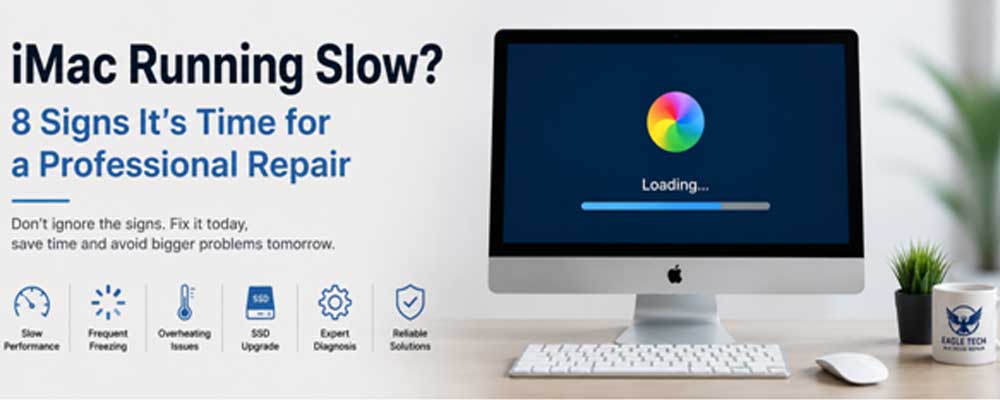
A slow iMac can make even simple tasks frustrating. Applications take longer to open, files load slowly, and the spinning beach ball appears more often than it should. While some performance issues are caused by software, persistent slowdowns can also indicate underlying hardware problems that require professional attention.
If your iMac has become noticeably slower than before, don’t ignore the warning signs. Identifying the cause early can help prevent further hardware damage and extend the life of your device. If you’re searching for iMac Repair Service Dubai, this guide explains the most common signs that your iMac may need professional diagnosis and repair.
1. Your iMac Takes Too Long to Start
An iMac that once booted in seconds but now takes several minutes could have a failing storage drive or software-related issues.
Common causes include:
- Aging hard drives
- SSD performance issues
- Startup disk errors
- Corrupted system files
- Insufficient storage space
A professional inspection can determine whether the issue can be resolved through optimisation or if a hardware upgrade, such as an SSD replacement, is the better solution.
2. Apps Keep Freezing or Crashing
Occasional app crashes happen on any computer, but frequent freezing is often a sign of a deeper issue.
Possible causes include:
- Failing RAM
- Storage drive errors
- Outdated macOS
- Hardware faults
- Background processes consuming excessive resources
If multiple applications freeze regularly, simply restarting the iMac is unlikely to solve the problem permanently.
3. The Spinning Beach Ball Appears Constantly
Seeing the spinning beach ball every few minutes usually means your iMac is struggling to complete basic tasks.
This may happen because of:
- Low available memory
- A nearly full storage drive
- Hard drive failure
- Software conflicts
- Overheating components
Ignoring this issue can eventually lead to reduced system stability and slower overall performance.
4. Your iMac Overheats During Everyday Use
An iMac should remain relatively quiet during normal browsing or office work. If the fans run constantly or the system becomes unusually hot, dust buildup or failing cooling components may be restricting airflow.
Professional cleaning and thermal maintenance can improve cooling performance and help prevent internal components from overheating.
5. Files Open Much Slower Than Before
If documents, photos, or videos suddenly take much longer to open, the storage drive may no longer be performing efficiently.
Many older iMac models still use traditional hard drives that naturally slow down over time. In these cases, upgrading to an SSD can significantly improve boot times, application loading, and overall responsiveness.
6. Strange Noises from Inside the iMac
Clicking, grinding, or unusual mechanical noises should never be ignored, especially on older Intel-based iMacs with hard disk drives.
These sounds often indicate storage drive failure, and delaying repairs increases the risk of permanent data loss. Backing up important files immediately and arranging a professional inspection is the safest approach.
7. Your Storage Is Always Full
Running an iMac with very little free storage can noticeably reduce performance. macOS requires available space for temporary files, updates, and virtual memory.
If clearing unnecessary files doesn’t improve performance, a technician can determine whether your storage drive needs upgrading or if another hardware issue is affecting system speed.
8. Performance Doesn’t Improve After Software Updates
Many users assume updating macOS will solve performance issues. While updates can fix software bugs, they won’t repair failing hardware.
If your iMac remains slow after:
- Updating macOS
- Removing unnecessary applications
- Freeing storage space
- Restarting the system
it’s time for a professional diagnosis to identify the root cause.
When Should You Consider Professional Repair?
A slow iMac doesn’t always require replacing the entire computer. In many cases, the problem can be resolved through targeted repairs or hardware upgrades. Common solutions include SSD upgrades, RAM replacement, cooling system maintenance, storage repairs, or diagnosing logic board issues.
If you’re looking for iMac Repair Service Dubai, choosing experienced technicians ensures the issue is accurately diagnosed before any repair is recommended. This helps avoid unnecessary costs while restoring your iMac’s performance as efficiently as possible.
Final Thoughts
Performance issues rarely improve on their own. A slow iMac often shows early warning signs before a larger hardware failure occurs, and addressing the problem promptly can help prevent costly repairs in the future.
At Eagle Tech MacBook Repair, our technicians thoroughly inspect your iMac to identify the exact cause of the slowdown before recommending the most suitable solution. Whether your device needs an SSD upgrade, hardware repair, internal cleaning, or component replacement, we focus on restoring reliable performance so you can continue working without unnecessary interruptions.