
MacBook Liquid Damage Repair in Dubai – Complete Recovery Guide
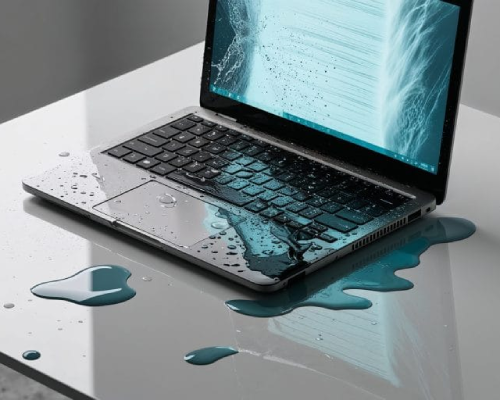
Spilled water, coffee, juice, or any liquid on your MacBook? You’re not alone. Liquid damage is one of the most common and most misunderstood MacBook issues in Dubai, especially due to high humidity and temperature fluctuations. This complete recovery guide explains everything you need to know about MacBook liquid damage repair Al Barsha Dubai, from what happens inside your device to repair timelines, costs, and when professional help is absolutely necessary. If you’re looking for honest advice, real solutions, and expert repair, this guide is for you. What Happens When Liquid Enters a MacBook? When liquid enters a MacBook, it immediately begins interacting with the internal electrical components. The logic board carries active voltage even when the device is asleep, which means liquid can cause instant short circuits. Beyond the initial shorting, moisture slowly spreads under chips, connectors, and solder joints, starting a corrosion process that may not show visible symptoms right away. This is why some MacBooks appear to work after a spill but fail days or weeks later—damage is happening silently inside. Inside your MacBook: Liquid reaches the logic board (motherboard) Electrical short circuits start forming Corrosion begins within hours Connectors, ICs, and power rails degrade over time Important: Many MacBooks fail days or weeks after a spill due to hidden corrosion. Common Liquids & How Dangerous They Are Not all liquids damage a MacBook in the same way. Plain water mainly causes oxidation over time, while coffee, tea, and soft drinks are far more dangerous due to sugars and acids that leave sticky residues on circuits. Juices and energy drinks accelerate corrosion rapidly, damaging connectors and IC pins. Liquids containing salt or minerals are the most destructive, often leading to irreversible motherboard damage if not treated immediately. Not all liquids cause the same level of damage. Liquid Type Damage Level Why It’s Dangerous Water Medium Causes corrosion over time Coffee / Tea High Sugar + heat accelerates corrosion Juice / Soda Very High Sticky residue damages connectors Alcohol Medium Can damage display & keyboard Saltwater Extreme Rapid corrosion within hours What to Do Immediately After a Liquid Spill (Critical Steps) The first few minutes after a spill are critical. Powering off the MacBook immediately can prevent further electrical damage. Disconnecting chargers and accessories stops additional current flow, while turning the device upside down helps prevent liquid from spreading deeper inside. Common mistakes like using a hair dryer, charging the MacBook, or leaving it in rice often make the situation worse by pushing liquid further into sensitive components. DO THIS Power off the MacBook immediately Disconnect charger and accessories Turn the MacBook upside down (tent position) Bring it to a professional repair center ASAP DO NOT DO THIS Do NOT turn it back on to “check” Do NOT use a hair dryer Do NOT put it in rice Do NOT charge it These mistakes often double the repair cost. Internal Damage Timeline: First 72 Hours After Liquid Exposure Liquid damage progresses in stages. Within the first 0–6 hours, short circuits may damage power rails. Between 6–24 hours, oxidation begins forming on exposed metal surfaces. From 24–48 hours, corrosion spreads under chips and connectors, weakening solder joints. After 48–72 hours, logic board failure becomes highly likely. Early professional cleaning can stop this chain reaction and significantly reduce repair costs. Liquid Damage vs Motherboard Failure – What’s the Difference? Liquid damage and motherboard failure are related but not identical. Liquid damage refers to contamination and corrosion caused by moisture exposure. Motherboard failure occurs when critical circuits, chips, or power lines stop functioning due to that damage. A MacBook can have liquid damage without complete motherboard failure—this is where timely repair makes a difference. Proper diagnostics determine whether cleaning alone is enough or chip-level repair is required. Many customers ask: “Is my motherboard damaged?” Liquid Damage: Contamination, corrosion, residue Motherboard Failure: Burnt ICs, dead power rails, no boot At EagleTech MacBook Repair, we diagnose both, and only repair what’s necessary. Professional MacBook Liquid Damage Repair Process Professional liquid damage repair goes far beyond surface cleaning. The process starts with a full diagnostic inspection, followed by complete disassembly of the MacBook. The logic board is cleaned using specialized solutions and ultrasonic equipment to remove corrosion. Technicians then test individual components, repair or replace damaged ICs if needed, and reassemble the device. Final testing ensures stable performance before returning the MacBook to the customer. MacBook Liquid Damage Repair Cost in Dubai MacBook liquid damage repair costs in Dubai depend on the severity of the spill and the affected components. Minor liquid exposure that requires cleaning is relatively affordable, while logic board repairs are more complex and costly. Devices with extensive corrosion or multiple damaged chips require advanced micro-soldering work. Transparent diagnostics are essential so customers only pay for necessary repairs, not unnecessary part replacements. Prices depend on severity, model, and motherboard damage. Repair Type Estimated Cost (AED) Basic cleaning 300 – 500 Keyboard / trackpad repair 400 – 700 Logic board repair 800 – 2500 Data recovery Depends on damage Diagnostic fee FREE How Long Does Liquid Damage Repair Take? Minor liquid damage: Same day Moderate damage: 24–48 hours Severe motherboard repair: 2–3 days We always give realistic timelines, not false promises. Repair Timeframes Repair time varies based on damage level. Minor liquid damage repairs can often be completed the same day, while moderate cases typically take 24–48 hours. Severe motherboard repairs may require 2–3 days, especially if component-level work is involved. Honest timelines help customers plan without unrealistic expectations or rushed, low-quality fixes. Can Data Be Recovered After Water Damage? In many cases, data can still be recovered from a water-damaged MacBook. If the storage chip remains intact, technicians can extract data even when the MacBook no longer powers on. However, delaying repair reduces the chances of successful recovery, as corrosion may spread to storage components. Acting quickly improves both device recovery and data safety. So, we are for MacBook Water Damage Repair JBR Dubai. Why Dubai